Feedback Widget Documentation
Version: 2024-08 DRAFT
1. Intro
Feedback widget allows you to capture customer feedback right on your website in real-time. Extensive customization and integration options make it highly adaptable to your needs.
2. Adding Feedback widget to your website
Feedback widget uses the InstantFeedback JavaScript API to intergrate into your site's pages without using any server side code.
<!DOCTYPE html>

<html>

<body>
    <!-- 1. Element to render widget into -->
    <div id="container"></div>

    <!-- 2. InstantFeedback JavaScript API -->
    <script src="https://app.instantfeedback.si/ifbapi.js"></script>

    <!-- 3. Initialize widget and render into specified container -->
    <script>
        ifbapi.feedbackWidget({
            token: "eyJjaWQiOjF9:gW1ZO9dMcohTWwUJQcDtL_dyiBY"
        }).render('#container');
    </script>
</body>

</html>
Above is an example of minimal code needed to add widget to a page. It shows the three steps needed for integration to work:
- Define element to render widget into.
- Include InstantFeedback JavaScript API script
- Initialize widget and render it into specified container.
This would result in the follwing widget being shown on page.
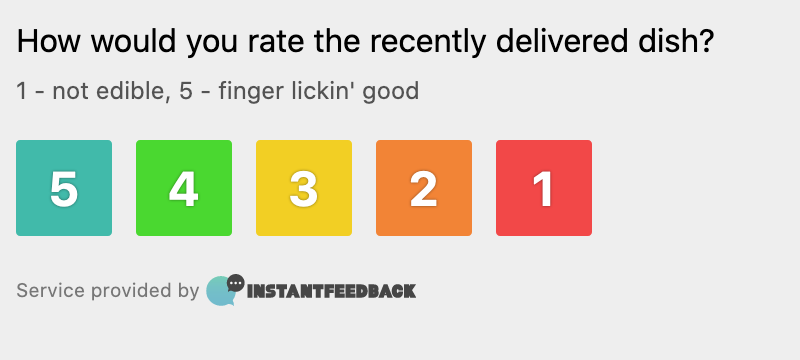
In the above example the default theme and configuration are applied, since no options were provided when initializing the widget. See next section for available configuration options.
3. Configuraton
3.1 General
Feedback widget can be configured by setting different options during initialization.
Example with all available options:
ifbapi.feedbackWidget({
    token: "eyJjaWQiOjF9:gW1ZO9dMcohTWwUJQcDtL_dyiBY",
    tag: "uniqueValue",
    customFields: [{
        name: "Field 1",
        value: "some value"
    }],
    lang: 'en',
    preview: false
})
Options
-
token: Campaign or feedback request identifier, provided by InstantFeedback
Type:
string
Required: Yes
-
tag: Unique identifier for a page.
Type:
string
Required: No
Default:sha1hash generated from page title.Tag is used to uniquely identify pages within a website. By default it's a hash generated from page title, but it can be any value, as long as it is guaranteed to be unique, like blog post ID, or a product ID.
-
customFields: List name / value pairs for custom fields
Type:
array<object>
Required: If any of defined custom fields are required.Each entry in list must be an
objectwith following properties.-
name: Name of field as defined in Campaign settings.
-
value: Value for the field. Type of value is dependant on type of field.
Example:
[{
    name: "Field 1",
    value: "some value",
}]
-
-
lang: User interface language
Type:
string
Required: No
Default: Languge defined in Campaign settings.
-
preview: Enable read-only preview mode.
Type:
boolean
Required: No
Default:falseWhen in
previewmode, widget is fully operational, but no data will be saved.